¶ Dashboard Overview
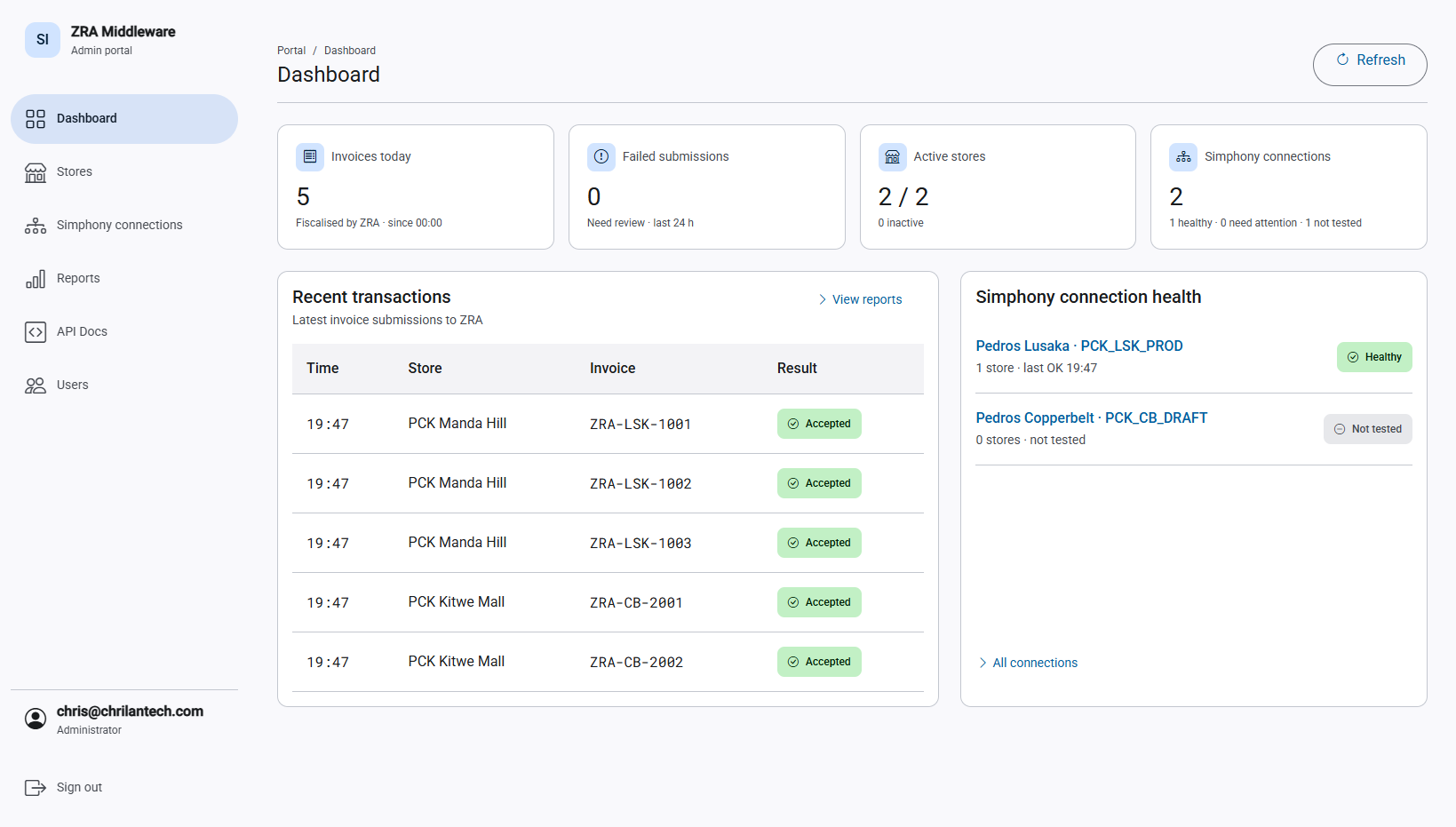
Once you verify your 6-digit WhatsApp code, you land on the Dashboard (/pckzra/dashboard). Every metric and link on the dashboard is automatically filtered to the Organisations (Franchises) assigned to your account.
¶ What You See on the Dashboard
¶ Key Performance Indicator (KPI) Cards
- Active Stores — Count of active store registrations within your visible organisation scope.
- Fiscalised Invoices — Total ZRA fiscal receipts recorded across your visible stores (Standard Invoices and Credit Notes).
- Menu Sync / Simphony Health — Current status of active Oracle Simphony connections serving your organisations.
- Held Items — Number of menu items currently held back from syncing because of missing tax mappings or missing MTV/RRP pricing. Clicking this takes you straight to the Held Items view.
¶ Navigation Sidebar
On desktop screens (>= 1200px), the left sidebar shows full labels; on tablets it collapses to an icon rail (88px); on phones (< 576px) tap the hamburger menu in the top bar.
| Menu Item | Who Can See It | Purpose |
|---|---|---|
| Dashboard | All signed-in users | Summary metrics and quick links |
| Stores | All signed-in users | Store directory, details, and held-item links |
| Simphony connections | All signed-in users | Oracle Simphony connection setup, tax mapping, and V2 stock |
| Reports | All signed-in users | ZRA invoice history, CSV export, and cross-org held items |
| Customers | Global Admins / Chrilan Staff | Onboard new customer organisations and manage org-user assignments |
| Catalogue | All signed-in users (org-scoped) | View synced Simphony menu items, Delegate stock items, and recipes sent to Smart API |
| API Docs | All signed-in users | Built-in Micros POS Fiscal Integration API reference and OpenAPI YAML |
| Users | Global Admins only | User accounts, roles, and organisation access assignments |
¶ Role & Scope Visibility
- Global Administrator: Sees all organisations, all stores, all connections, all reports, and the Users menu.
- Organisation Administrator (Scoped Admin): Sees and manages only the organisation(s) assigned to them. The Users menu is hidden and inaccessible.
- Read-Only User: Sees a "View only" banner on detail pages and cannot add, edit, activate, deactivate, or close notices.
- Active Unassigned User: Can sign in cleanly, but sees zero organisation data until a Global Admin assigns at least one organisation.