¶ Reports & Held Items
The Reports section (/pckzra/reports) gives Operations and Finance teams full visibility into ZRA fiscal receipts, CSV reconciliation exports, and menu items held back from syncing.
¶ ZRA Fiscal Invoice Reports (Reports V2)
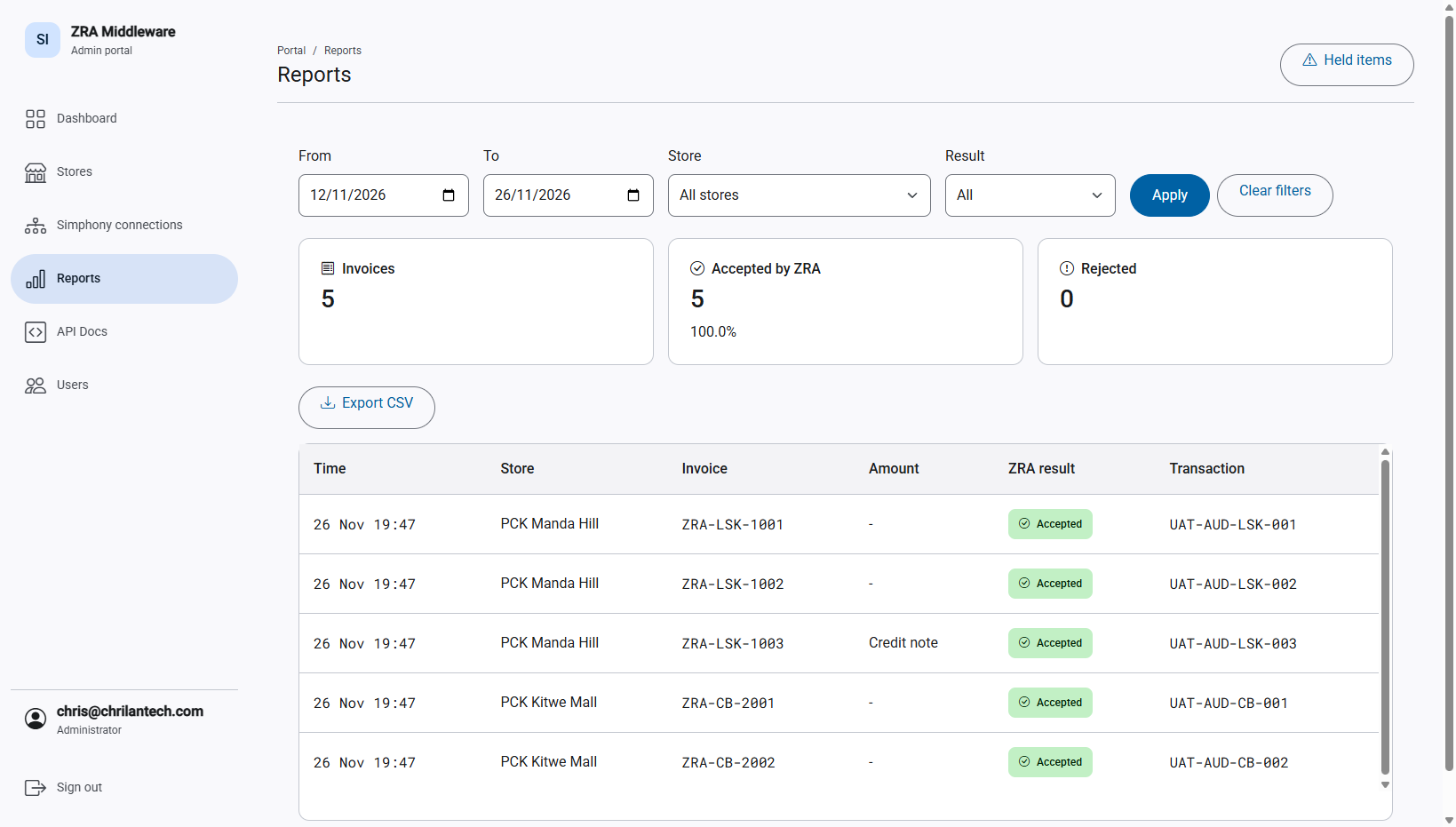
- Navigate to Reports in the left sidebar.
- Filter fiscal invoices by:
- Store (restricted to stores within your authorised organisations)
- Receipt Type (
All,Standard Invoice, orCredit Note) - Date Range (
From/To) - Search (Receipt number, Fiscal Folio ID, Audit number, or TPIN)
- Inspect each row's Receipt Number, Fiscal Folio ID, Store, SDC ID, Currency, Type, and Timestamp.
- Click Export CSV (
/pckzra/reports/export) to download a spreadsheet (zra-invoice-report.csv) matching your exact active filters and organisation scope.
Organisation isolation: Scoped Admins and Read-Only Users can never view or export invoices belonging to another franchise organisation.
¶ Cross-Organisation Held Items Overview (Desktop-42)
Click the Held items tab inside Reports (or go to /pckzra/reports/held-items) to view all menu items currently held across your authorised stores.
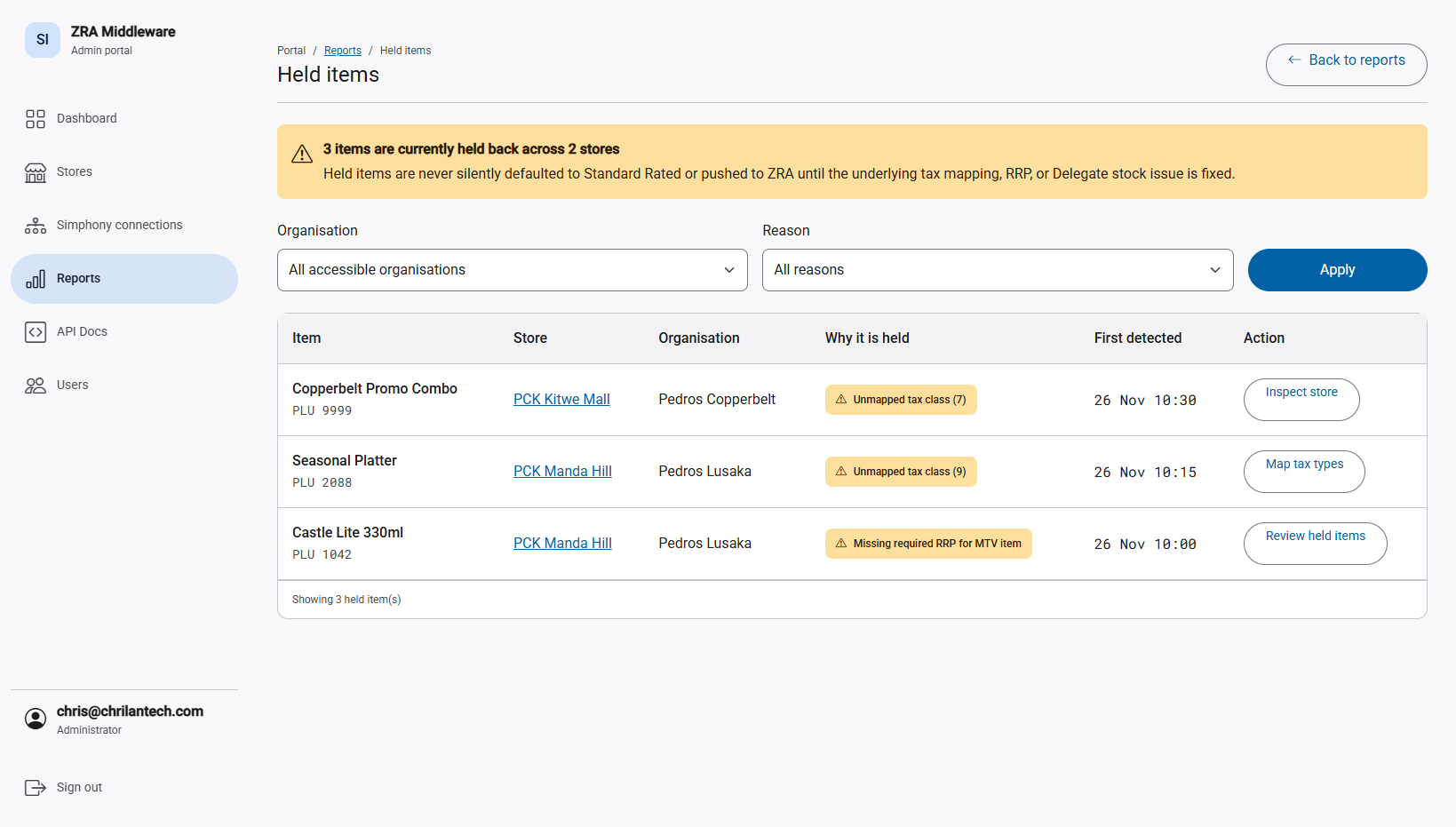
- Filter by Organisation and Hold Reason (for example,
Missing required RRP for MTV itemorUnmapped tax class). - Each row shows the Store, Organisation, PLU, Item Name, Reason, First Detected timestamp, and a direct Fix link (for example, jumping directly to the connection's Tax Mapping page or the store's detail screen).
¶ Per-Store Held Items & Alert Status (A.13)
Click any store's Held items link (or open /pckzra/stores/{id}/held-items) to inspect that store's held-item queue and alert delivery state.
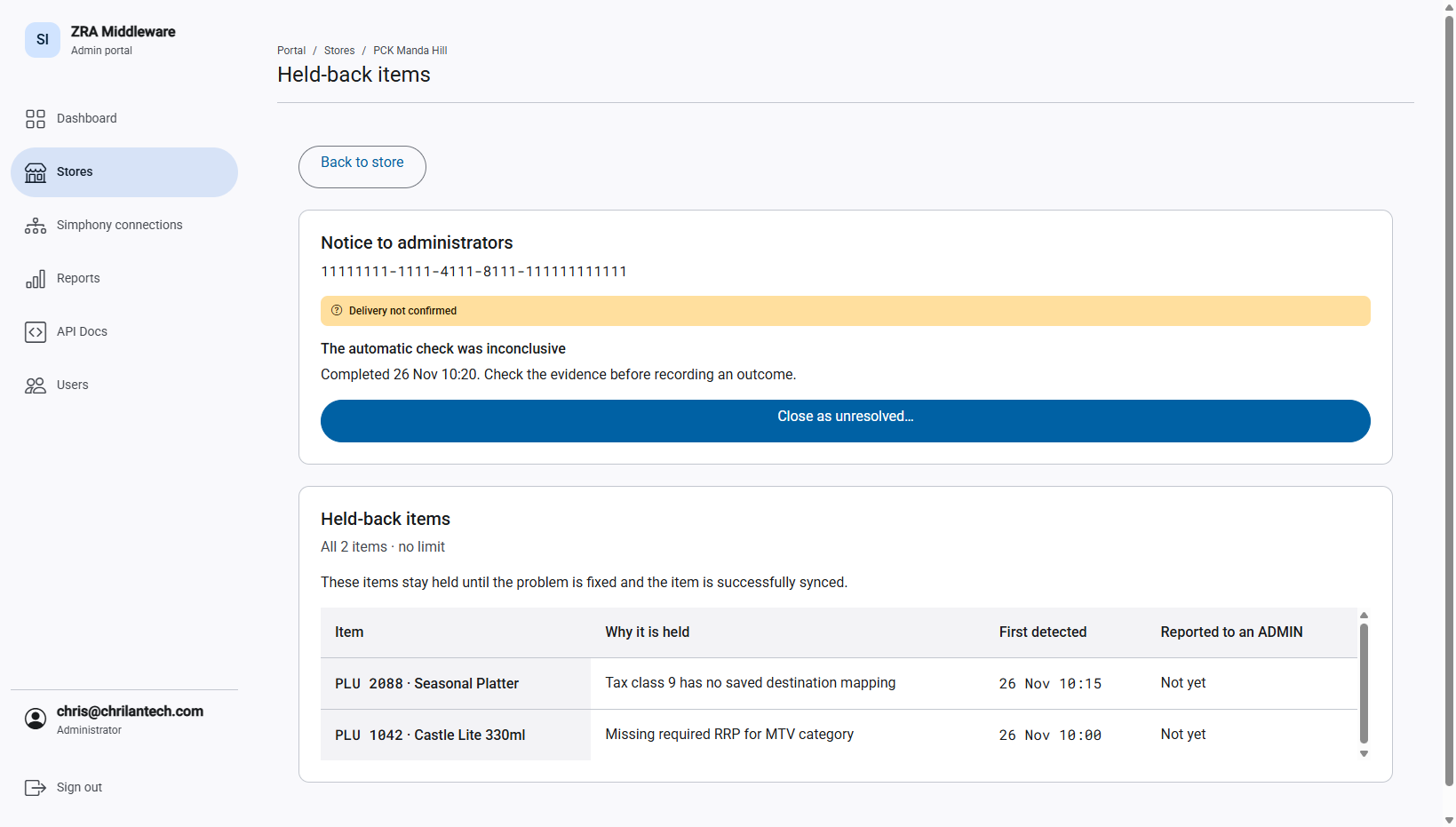
- Read-Only Users see the list of held items and a simplified delivery status badge (
Notified,Not yet notified,Delivery not confirmed, orUndelivered). - Administrators additionally see the full Admin Notice Status panel showing automatic delivery-check outcomes and deadlines.
¶ Closing an Unresolved Notice (CR-1 / A.14 — Administrators Only)
When an automated alert delivery check finishes with an UNKNOWN outcome, an Administrator can manually close the notice as unresolved via Close notice as unresolved (/pckzra/stores/{storeId}/notices/{noticeId}/close).
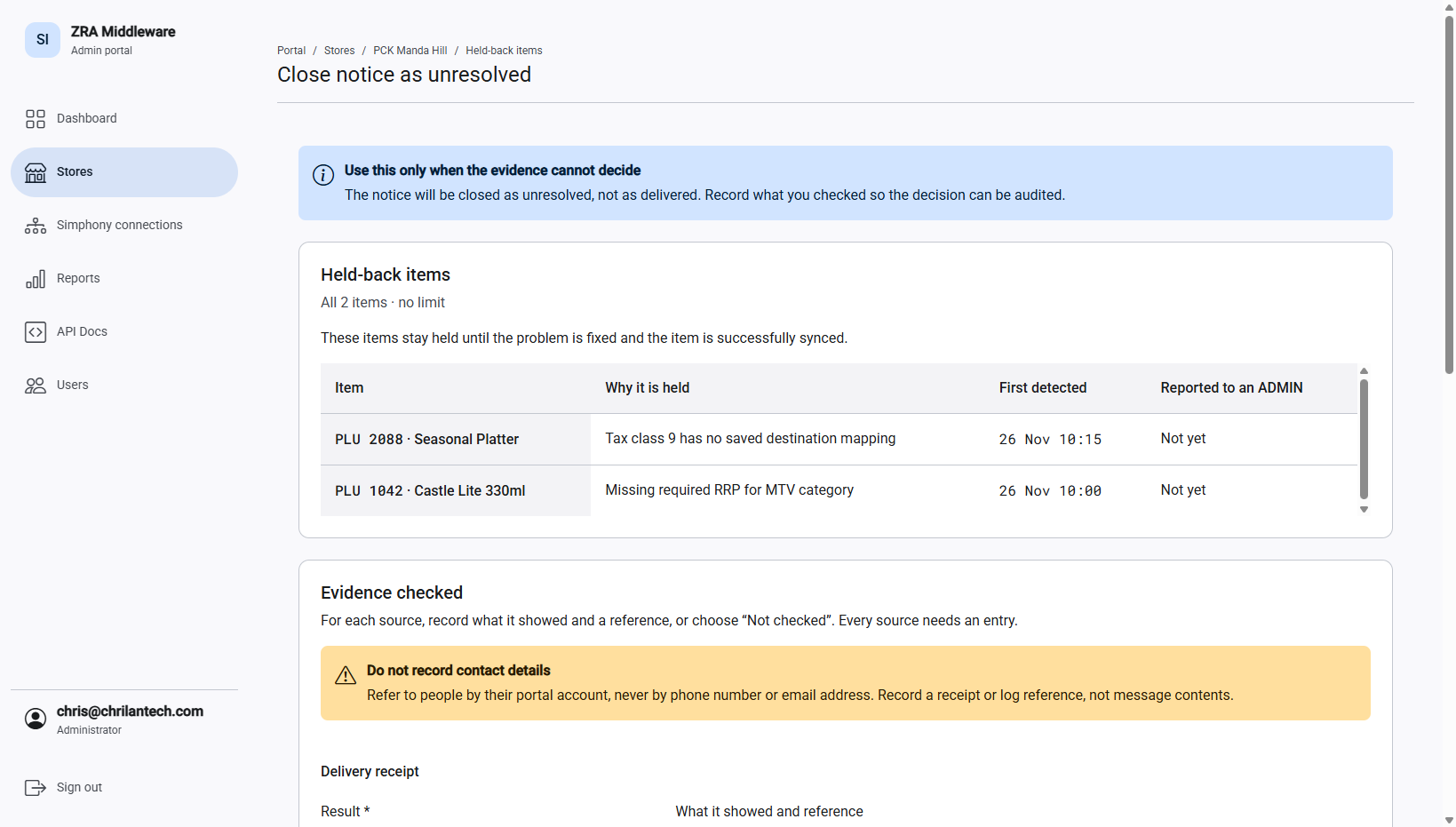
- Record which verification sources were checked (
Delivery receipt,Provider status,Recipients asked) and enter a concise factual note. - Select your belief about delivery (
Unknown,Delivered, orNot delivered) and enter a clear closing reason. - Click Close notice.
Privacy & Compliance Guardrail (No Contact Details): You must never enter phone numbers (e.g.
+260977...) or email addresses inside the notice-close notes or reason fields. The portal automatically rejects submissions containing personal contact details (400 Bad Request) to keep audit logs free of personal contact data.