¶ Oracle Simphony Connections
Simphony Connections (/pckzra/connections) connect each franchise organisation to its Oracle Simphony Transaction Services (STS) environment for automated menu synchronisation, tax class discovery, and optional V2 stock integration.
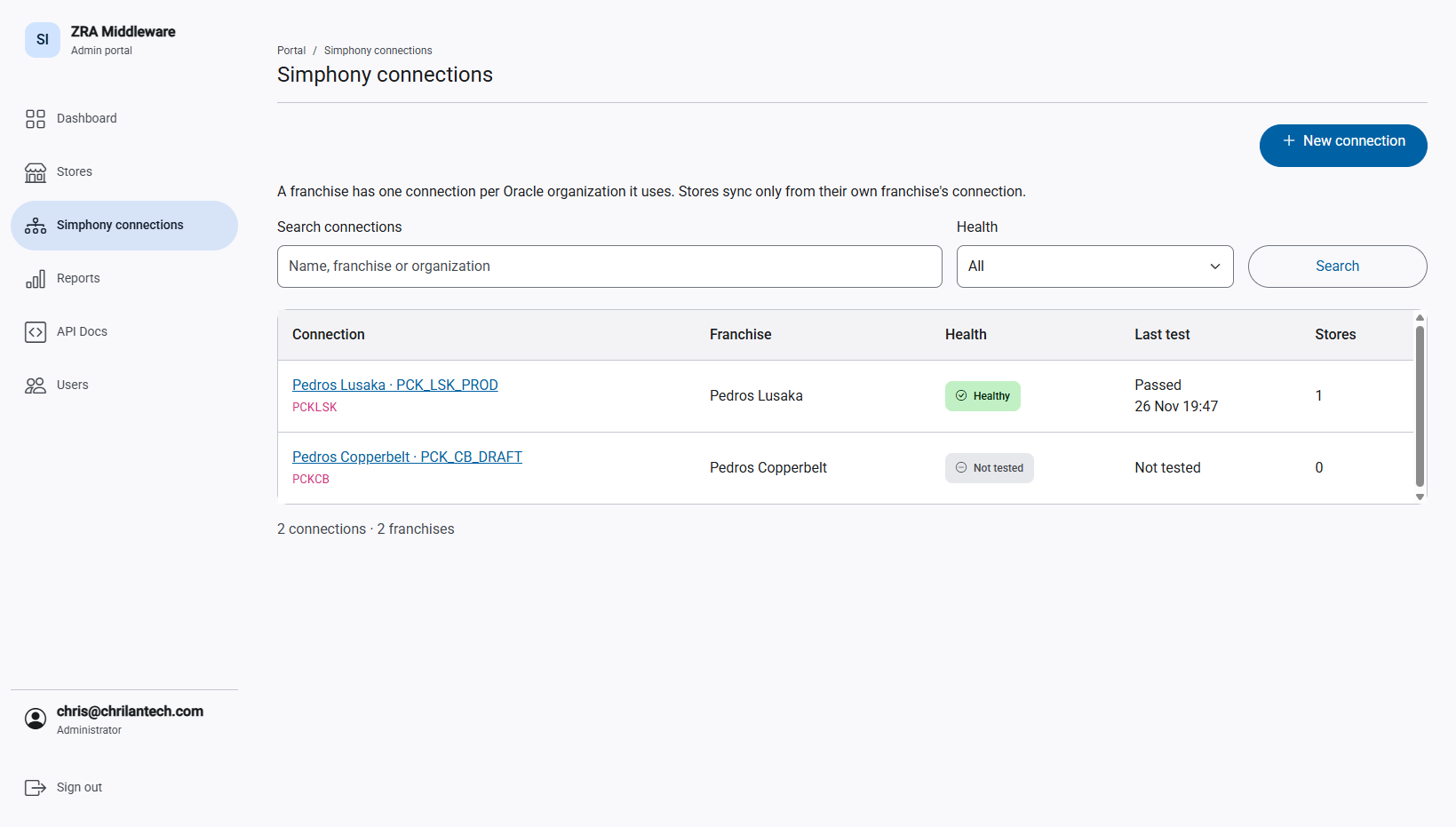
¶ Connection Lifecycle
Every Simphony connection moves through governed states:
DRAFT ──(Test passes)──► Frame 49 Activation Review ──► ACTIVE ◄──► SUSPENDED
| State | Meaning |
|---|---|
| DRAFT | Configuration and staged credentials exist, but menu sync is not active yet. |
| ACTIVE | Verified connection actively serving assigned stores. |
| SUSPENDED | Temporarily paused by an Administrator without deleting store mappings. |
| RETIRED | Permanently closed; kept for audit history. |
¶ Creating a Draft Connection (Administrators Only)
- Go to Simphony connections and click New connection (
/pckzra/connections/new). - Select the Organisation (Franchise), Environment (governed Oracle STS profile), Simphony Organisation Short Name, and a unique Connection Code (for example,
PCK_CB_PROD). - Provide the initial Account Binding / Credential Reference (write-only custody reference — secrets are never displayed).
- Click Create draft.
¶ Testing & Activating a Connection (Frame 49 Review)
Open any connection (/pckzra/connections/{id}) to inspect its status, tabs, and actions.
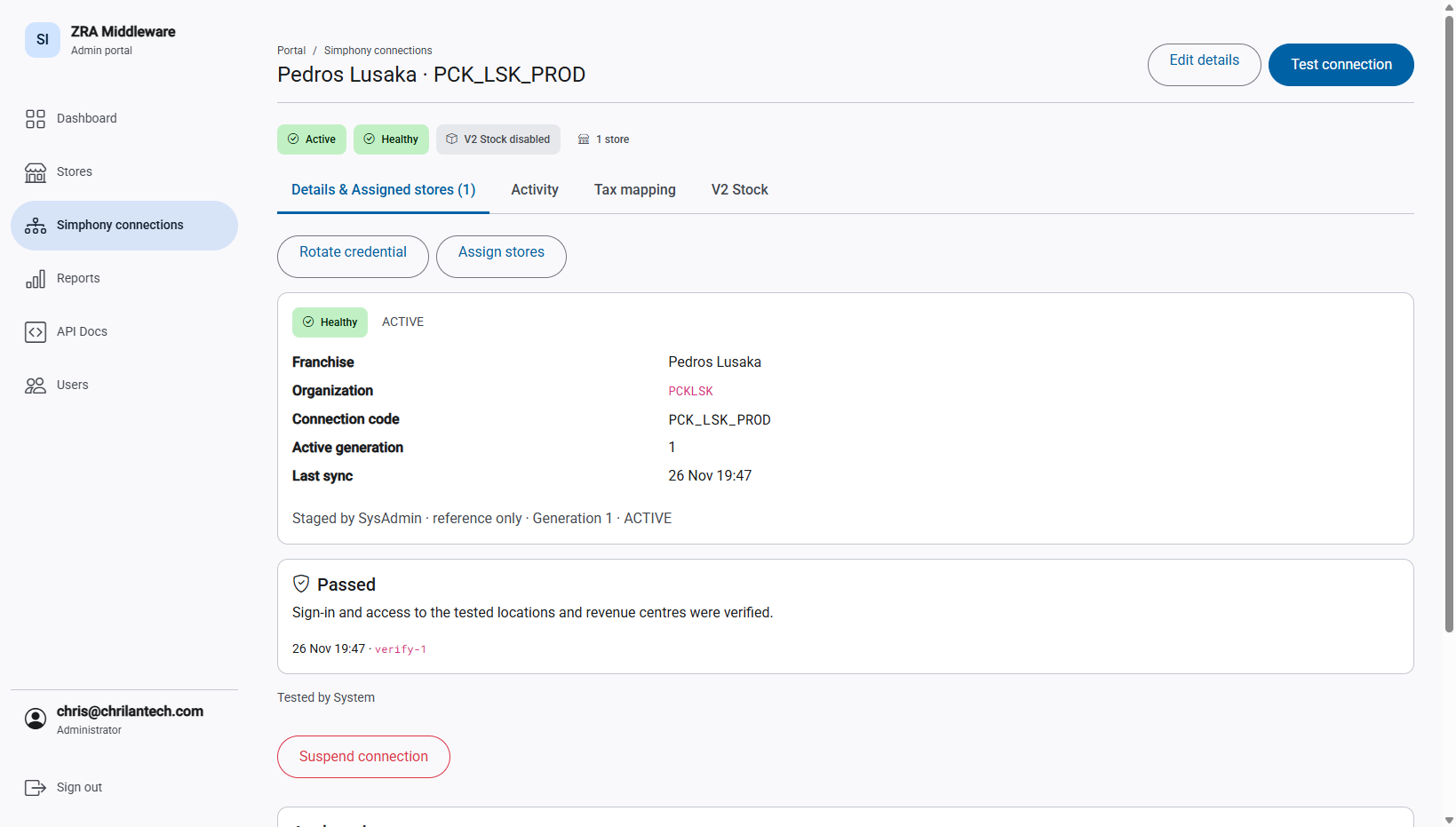
- Click Test connection to verify Oracle STS connectivity and record a timestamped
PASSverification against the currentconfigVersion. - Click Review & Activate (
/pckzra/connections/{id}/activate-review) to open the Activation Review checklist (Figma Frame 49). - Review the readiness checks (verified test result, organisation scope, active credential generation, and tax mapping status) and confirm Activate connection.
- To pause sync at any time without losing settings, click Suspend connection on an active connection.
¶ Assigning Stores & Rotating Credentials
From a connection's detail view, Administrators can:
- Oracle Simphony STS Sync Credentials (Write-Only, AES-256-GCM):
- On any connection detail page (
/pckzra/connections/{id}), Administrators can configure the Oracle IDM / OIDC Authority, Simphony STS Base URL, Client ID, Simphony STS Username, and write-only Simphony STS Password. - Passwords are encrypted at rest with AES-256-GCM and are never displayed again after save (the field displays
"Saved · leave blank to keep"on subsequent edits).
- On any connection detail page (
- Assign Stores: Bind one or more stores belonging to the same organisation to the connection, supplying each store's Simphony Location Ref and Revenue Center Ref. Cross-organisation store assignment is blocked at both application and database layers.
- Stage & Rotate Credentials:
- Stage a new credential generation (
STAGED) while the current generation (ACTIVE) keeps running with zero downtime. - Click Test staged credential to prove the new generation authenticates cleanly.
- Click Promote staged credential to switch traffic atomically to the new generation and retire the previous one (or Cancel rotation to discard the staged generation).
- Stage a new credential generation (