¶ Managing Stores
Every Micros Simphony outlet that sends invoices to ZRA must have a matching record in Stores (/pckzra/stores). The middleware matches incoming POS transactions by SellerName, which must match the POS configuration character-for-character.
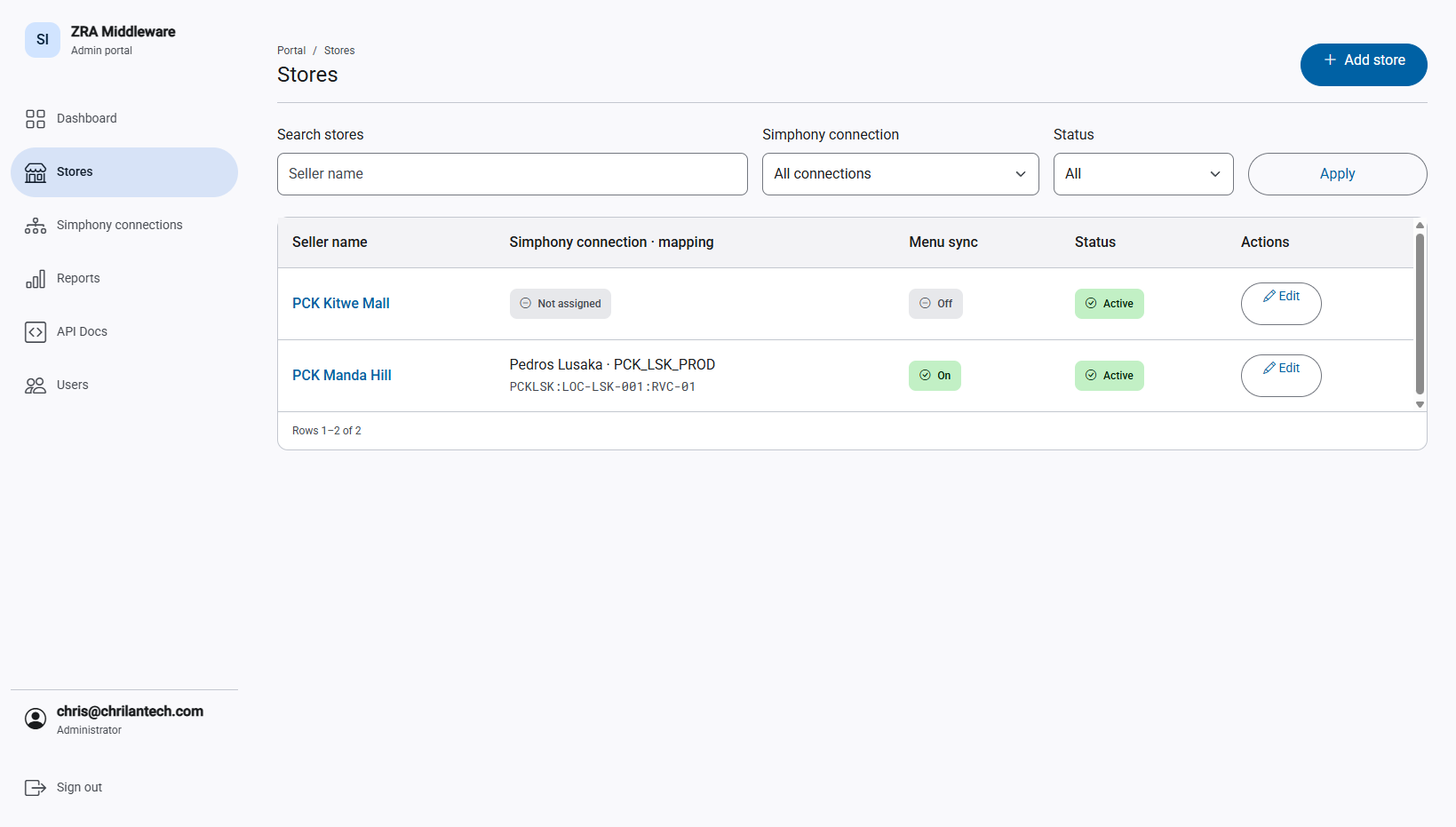
¶ Viewing & Filtering Stores
On the Stores page you can:
- Search stores by Seller Name, TPIN, or Branch Code.
- Filter by Status (
Active/Inactive) and Organisation (if you have access to multiple organisations). - See each store's Simphony Connection status and whether Menu Sync is enabled.
- Open a store's Details, Edit screen (Admins only), or Held Items queue directly from the row actions.
¶ Adding a New Store (Administrators Only)
Click Add store (/pckzra/stores/add) to register a new outlet.
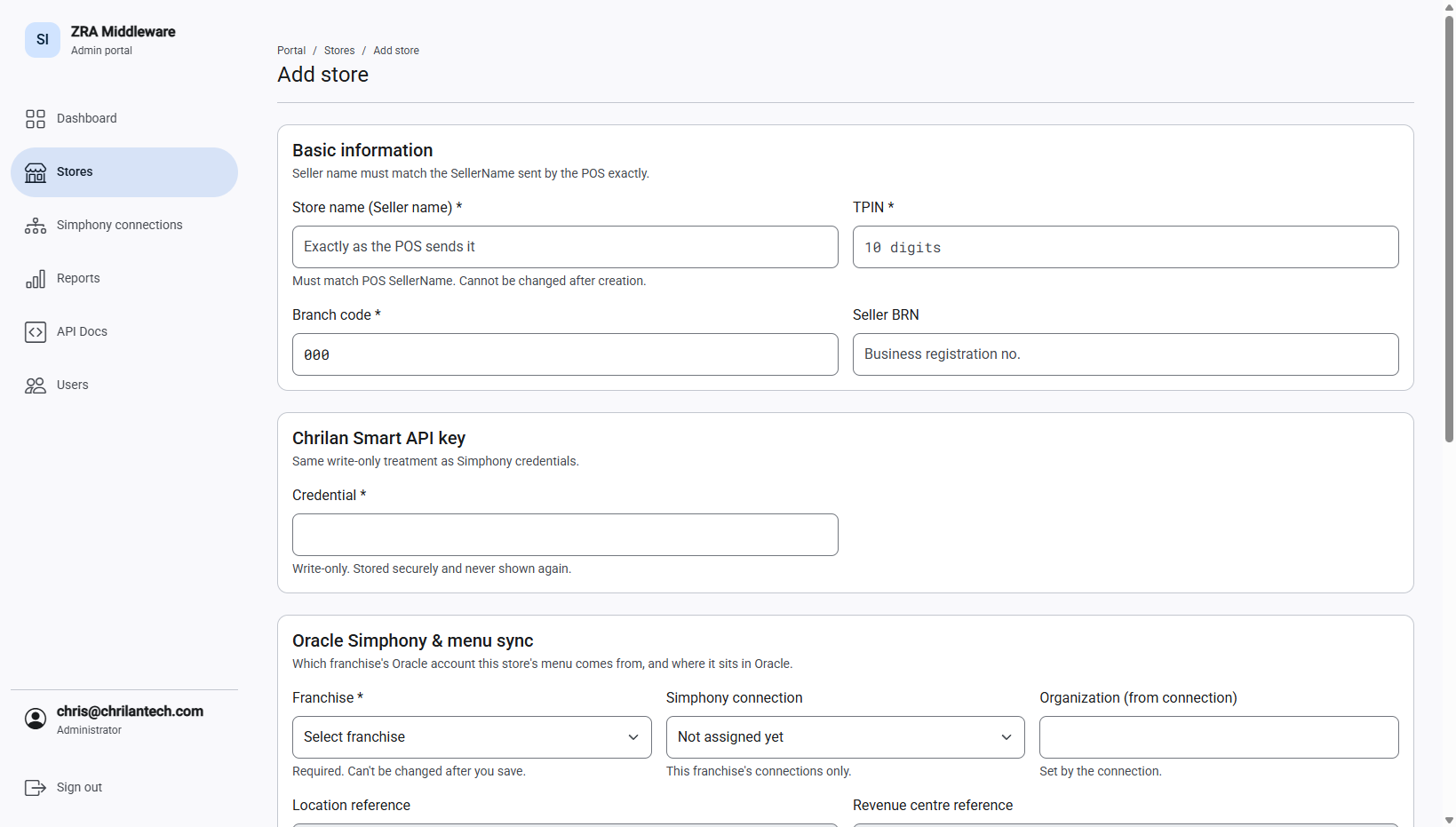
¶ Required Fields
| Field | Format & Validation Rules |
|---|---|
| Organisation (Franchise) | Must belong to your authorised organisation scope. |
| Seller Name | Exact POS SellerInfo.SellerName identifier. Must be unique and cannot be changed after creation. |
| TPIN | 10-digit numeric ZRA Taxpayer Identification Number (for example, 1001112223). |
| Branch Code | 3-digit numeric ZRA branch identifier (for example, 000 or 001). |
| Chrilan API Key | Per-store ZRA/Chrilan Smart API credential. Write-only: once saved, it is never displayed again in the portal. |
¶ Optional Fields
- Street address, city, province, postal code, contact number, and internal notes.
- Menu Sync Enabled toggle (requires an assigned Simphony connection before activation).
Click Save store to register the outlet. If any validation rule fails (such as a non-10-digit TPIN or duplicate Seller Name), clear field-level messages highlight what needs fixing while preserving your other non-secret inputs.
¶ Viewing & Editing a Store (DEC-036)
Click a store name to open its Store Details page (/pckzra/stores/{id}).
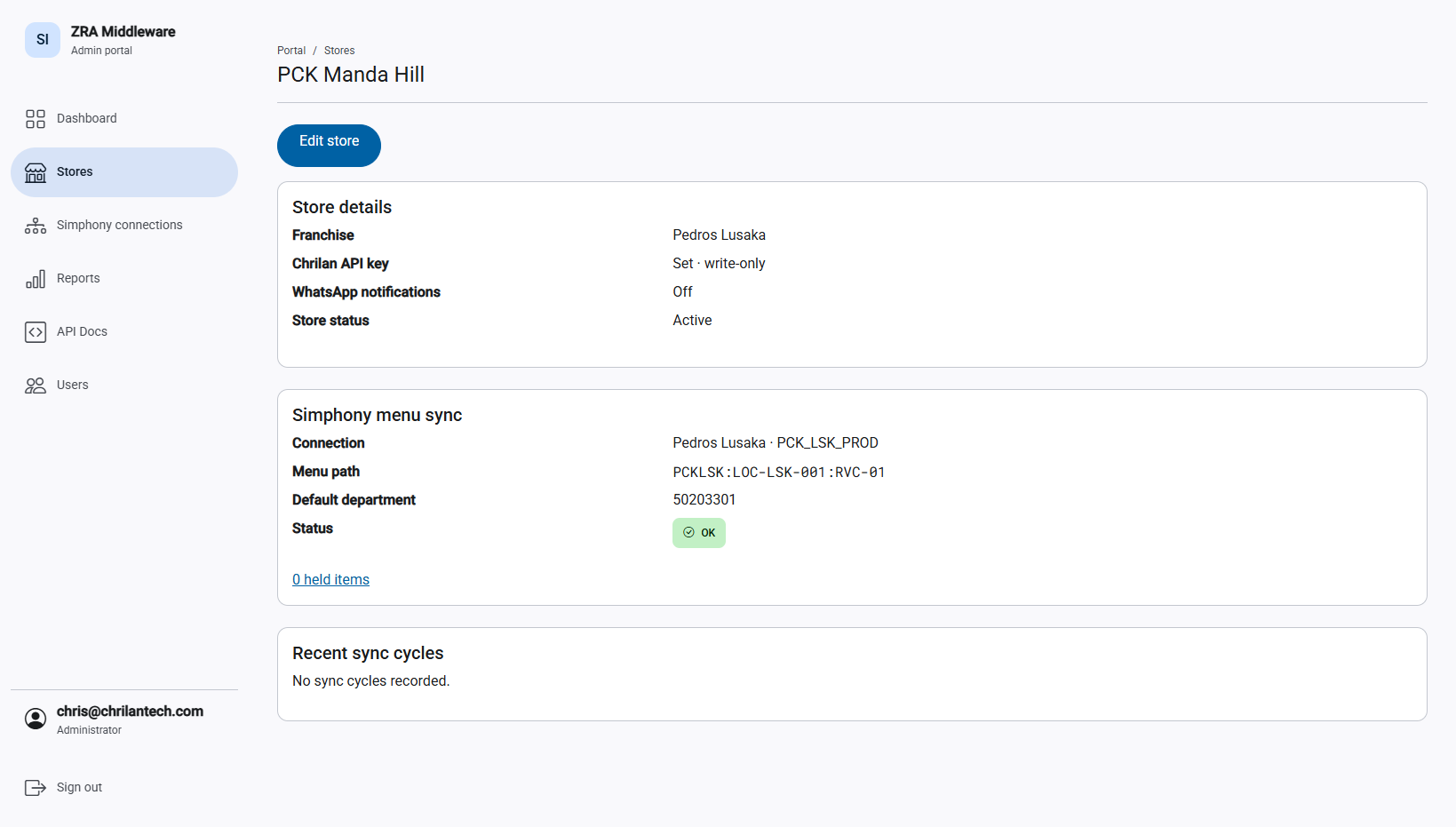
- Identity immutability:
SellerNameand assigned Organisation are locked after creation to protect ZRA fiscal audit integrity. - Write-only API key rotation: On Edit store (
/pckzra/stores/edit/{id}), leave the New Chrilan API Key field blank to keep the existing key unchanged, or enter a new key to replace it. The current key is never echoed back to the browser. - Deactivating a store: Stores are never hard-deleted (historical fiscal invoices depend on them). Administrators can Deactivate a store to immediately stop POS fiscalisation (returning
403 STORE_UNAVAILABLEto POS) and Activate it again later if needed. - Read-Only Users: See the store's operational details and a View only banner; edit and status buttons are hidden.