¶ User Administration & Roles
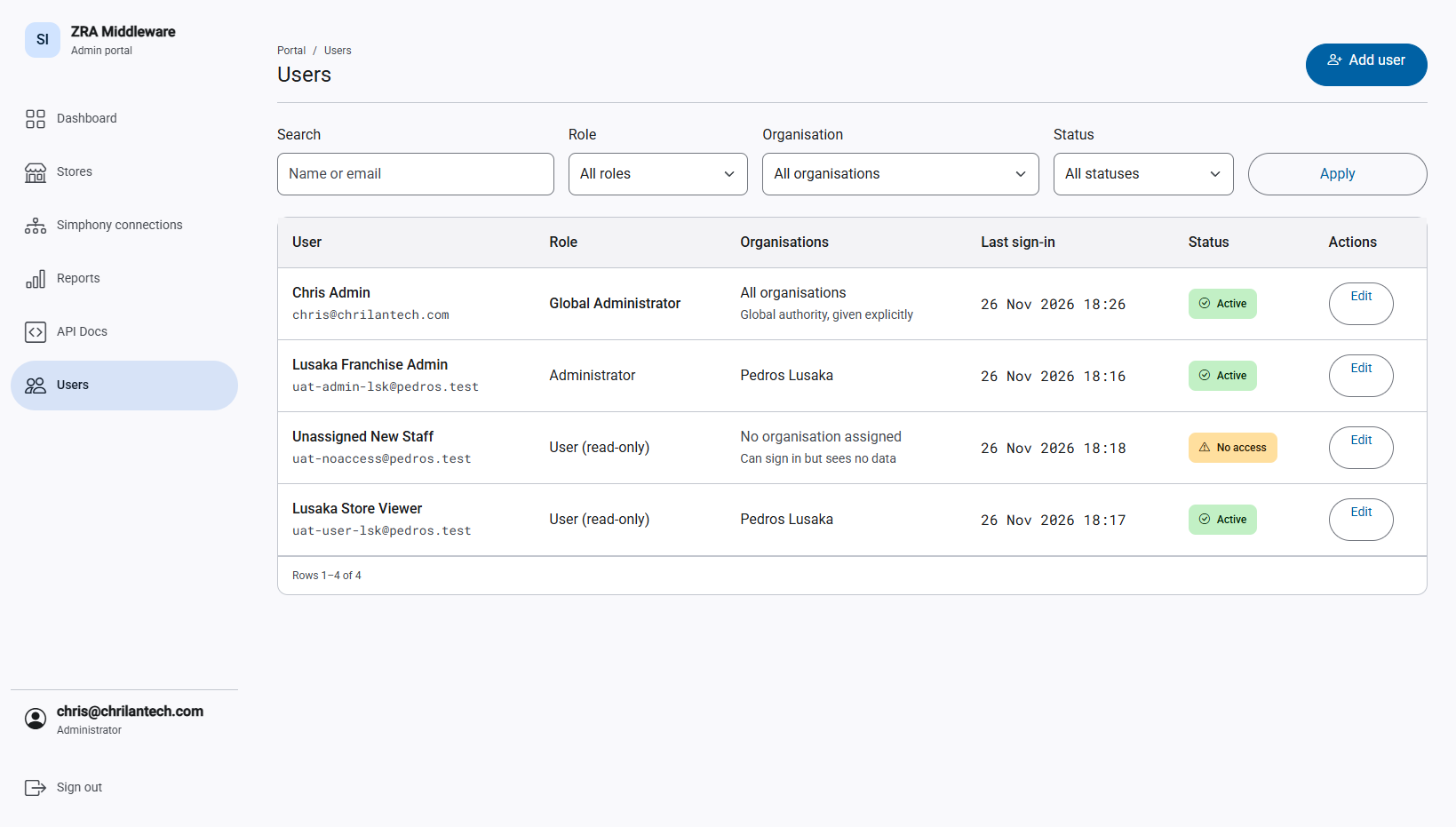
User Administration (/pckzra/users) is accessible exclusively to Global Administrators. Organisation-scoped Administrators and Read-Only Users do not see the Users sidebar item and receive 403 Access Denied if they navigate to /users directly.
¶ Portal Roles & Access Model
| Role & Scope | Can Sign In (2FA) | Visibility Scope | Write Permissions | Can Manage Users? |
|---|---|---|---|---|
Global Administrator (ADMIN + Global admin) |
Yes | All organisations | Full write across all orgs | Yes |
Organisation Administrator (ADMIN + assigned orgs) |
Yes | Assigned organisation(s) only | Full write inside assigned org(s) only | No (403) |
Read-Only User (USER + assigned orgs) |
Yes | Assigned organisation(s) only | None (View only banner) |
No (403) |
Active Unassigned User (USER + no orgs) |
Yes | Zero organisations (No access chip) |
None | No (403) |
¶ Filtering & Inspecting Users
On the Users directory (Figma Desktop-25–34), Global Administrators can:
- Search by Name or Email.
- Filter by Status (
All,Active,Inactive), Role (All,Admin,User), and Organisation (including filtering for users with No access). - Immediately spot active users without any organisation assigned via the
No accesswarning chip.
¶ Creating or Editing a User
- Click Add user (
/pckzra/users/new) or Edit next to an existing user (/pckzra/users/{id}/edit). - Enter Full Name, Email (Username), WhatsApp Phone Number (international format, e.g.
+260977...for Meta WhatsApp OTP delivery), and Role (ADMINorUSER). - Choose Access Scope:
- Check Global Administrator only for central Chrilantech / head-office administrators who manage all franchises and user accounts.
- Otherwise, select one or more specific Organisations (Franchises) the user is authorised to access.
- For new users (or optional password resets on edit), set an initial Password (write-only; hashed with BCrypt immediately and never displayed).
- Click Save user.
¶ Soft Deactivation & Reactivation (M3 Confirmation Modal)
User accounts are never hard-deleted so historical audit records remain intact.
- Click Deactivate on an active user row to open the M3 confirmation dialog. Confirming sets
enabled = false, recordsdeactivated_atanddeactivated_by, and immediately invalidates any active portal session held by that user. - Self-deactivation & last-global-admin safeguards: You cannot deactivate your own account or deactivate the last active Global Administrator.
- Click Reactivate on an inactive user row to restore login access.
Every create, update, password reset, deactivation, and reactivation is recorded in the user_admin_audit table.